A/B testing is the gold standard for a reason, but it’s often misused. I wanted to write a clear guide for anyone running experiments in Google Ads, because this framework is extremely powerful at one thing in particular.
Establishing causation, beyond reasonable doubt.
Most of us are swimming in data, yet we still find ourselves fighting the tide against intuition and narrative. In fairness, the intuitions of the people signing our cheques are massively valuable assets—and that needs to be kept in scope. But for marketing to be held to the standard of a science – replicable, scalable – certain things have to be established as fact.

In performance marketing especially, small changes to your campaigns can butterfly-effect into significant results – both good and bad. Understanding the cause and effect between the change and the result is really the epistemic bedrock under most attribution questions.
Ok, let’s get to it.
What is an A/B test?
Simply put, you build an experiment to test whether a single change has a net positive or negative effect.
You create two variants of your campaign…
Control – Your master copy, the benchmark to be measured against. Your champion
Treatment – The contender in the ring, here to face off against the champion

You then need two things:
A measurement framework. What are you judging the winner on – engagement, leads, CPA, revenue, ROAS? Pick your primary metric before you start, and pick one (or two max). If you fish across all of them for something that moved, you’ll always find something, but the effect on your key metrics is what matters.
A split. Divide traffic between the variants at whatever percentage point makes sense. On a mission-critical campaign, I’d weight towards the champion to avoid disrupting revenue or lead flow. If you’re genuinely curious, or can tolerate more fluctuation, a 50/50 split is worthwhile.
How do you set up an A/B test in Google Ads?
Here’s one of the key unlocks – Google Ads has a fully built-out Experiments section made for exactly this kind of custom testing.
Full disclosure, I’ve seen it used in under 5% of the accounts I’ve worked in. Very powerful, very clear tool – criminally underused!
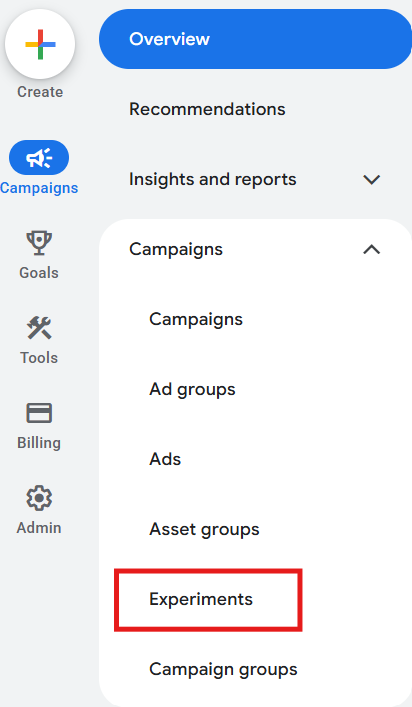
Step 1. Go to the experiments tab
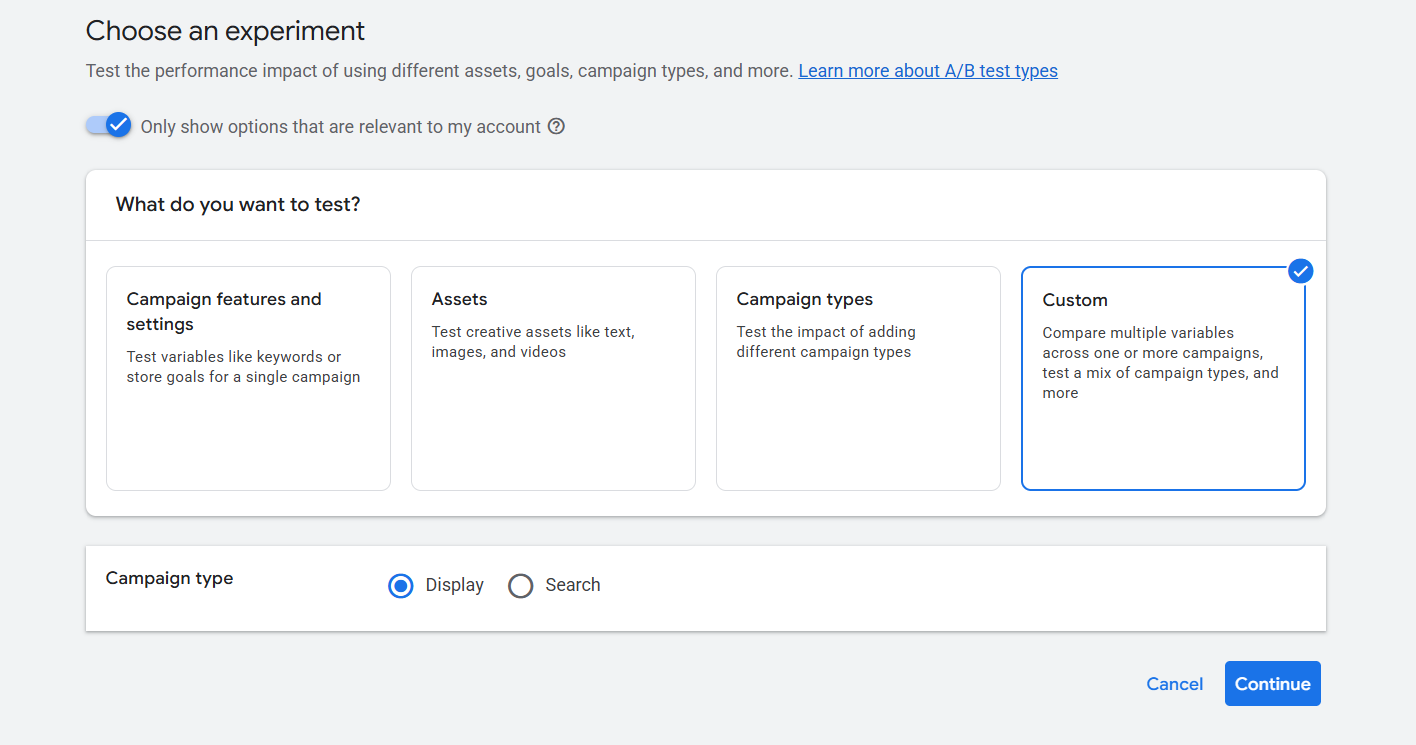
Step 2. For the most flexibility, click “Custom”.
Step 3. Select your campaign type (Search, for example) and name the experiment
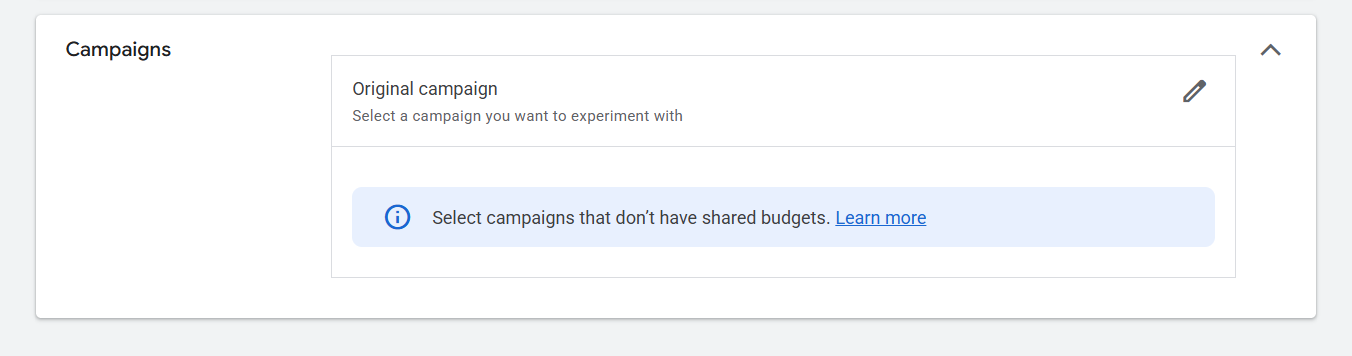
Step 4. In the campaign selector, choose your campaign. This is your control.
Step 5. Google Ads creates a duplicate campaign for you, your treatment. Now simply modify the draft with the single change you’re testing. Landing page, new ads – whatever you like.
Step 6. Set your primary metric and your traffic split.
Step 7. Launch. You can sync the campaigns so changes to the control carry over automatically. Just know, that if you start making other changes mid-test, you’ve broken the single-variable rule and the results stop being fully clean.
How long should I run it?
How long is a piece of string?
In all seriousness, it’s context-dependent – but the principle isn’t. You run until you’ve gathered enough traffic to tell signal from noise, not until it “looks” like a winner. Google Ads will calculate the significance once there’s adequate volume automatically (make sure to monitor this).
Two things to keep in mind…
- Don’t peek and call it too early. Early readings can swing fairly wildly
- Run full weeks. Weekdays and weekends behave differently. Be mindful of seasonality insofar as you’re able to
How to read the results
The platform will actually highlight to you when the test results are significant, and give you confidence intervals to show the true range of your results.
Each row reads as:
Metric - [floor, ceiling]
If zero is within your range, the true answer might mean that either nothing happened, or you’re still looking at statistical noise.
If zero is outside, you have an effect! You can call it.
Two examples. Say you’re looking at the conversion rate difference between a control and treatment.
- [-8%, +12%] – zero sits inside this range, so it’s noise
- [+6%, +18%] – zero is outside this range, you can rule out that nothing happened
The confidence interval itself is telling you whether you have enough data to demonstrate a marked effect.
The width of the bracket tells you the second thing: how much data you’re standing on. A narrow interval is a precise, well-powered estimate. A wide one is a guess with big error bars.
Here’s a live example, with real data. Take a look before you read on.
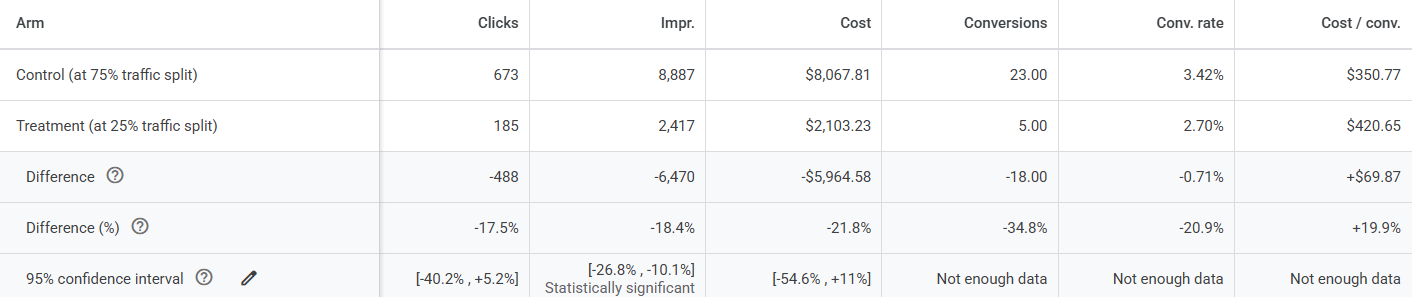
Your eye goes to the damage first. Conversions down 35%. Conversion rate down 21%. Cost per conversion up 20%. If you were sharing this on a Monday call, you can already hear the verdict forming – the treatment’s a dog, shut it off.

Not so fast. Look at the bottom row.
The only metric that comes back significant is impressions. Every number that actually tells you whether the change helped or hurt – conversions, conversion rate, cost per conversion – says the same thing: not enough data.
Google is telling you, in plain English, that those alarming figures haven’t cleared the noise. 5 conversions against 23 isn’t a result that replicates at scale. This is the entire discipline in one screenshot.
Once you’ve got clear significance on a metric that matters, that’s the one you take to the bank.
A note on changes
There’s always the temptation to test many things at once. Marketing meetings themselves are often brimming with ideas, and a single action item often bundles many things together…
- A change to the website
- A bid-strategy adjustment
- Copy and headline adjustments
Ship all 3 against the champion and say, the challenger wins. Great – but which change won? One of them? Two of them pulling against one another while a third carried the win? You can’t say. You’ve proven something moved, but not why – and what caused it was the whole point.
So, yes, you’ll have to be the fun-killer sometimes, insisting on one variable at a time. You can test anything. You just can’t test everything at once.
Not sure your last test proved anything?
We set up Google Ads experiments that isolate one variable, run long enough to matter, and get read honestly when the results come in.
Let's Talk